Start with reality
Understand the pressure, the people, and the way the work happens today.
I work across operations, design, software, and AI to turn scattered processes into useful products people can understand and rely on.
Most of my projects start with important work spread across spreadsheets, messages, meetings, and memory.
I learn how the work really moves, remove the avoidable steps, and build the missing piece.
Sometimes that piece is a proposal tool. Sometimes it is a sales workspace, a service dashboard, an AI helper, or a visual experience. I stay close to the real work until the result is ready for the person who needs it.
The tools matter, but they are not the point. The point is helping people move from a loose request to a result they can actually use.
Understand the pressure, the people, and the way the work happens today.
Find the repeated steps, missing decisions, and handoffs creating avoidable work.
Create the product around the people doing the work, not around the technology.
Open the final result, test the real path, and make sure the handoff is clear.
The CRM holds the commercial story. The Proposal Engine turns that story into a clear package. The Service Dashboard helps the team deliver what was promised.
Keep the account, people, opportunities, history, and next decision together.
Turn scope, pricing, and review into a document the client can act on.
Plan the work, assign the team, resolve issues, and report the outcome.
A shared workspace built around the way people actually sell: start with the account, understand the history, see the active opportunities, and leave a clear next step.
People, relationships, activity, documents, and history.
Owner, stage, value, timing, and what needs to happen next.
Focused pipeline views, forecasts, follow-ups, and risks.
Send proposal context, carry service history, or create a useful export.
The team can understand the account story and make the next decision without rebuilding the context from messages and memory.
A guided workspace for the awkward middle of a deal: understand the request, build the price, shape the document, complete the review, and produce the right client package.
Start from a deal, an RFP, a pricing workbook, or a blank document.
Use a guided estimate, mirror the source, or build the tables directly.
Products, pricing, margins, scope, terms, sections, and page flow.
Proposal, pricing workbook, scope document, or specification sheet.
Pricing, scope, review, and document assembly stay in one path, reducing repeated work and making the client result more consistent.
A service workspace that connects the plan, the people doing the work, live event readiness, incoming issues, client visibility, and the record of what happened.
Venues, events, tasks, equipment context, and expected coverage.
Staff, availability, workload, ownership, and capacity.
Mobile check-in, readiness, live updates, and post-event follow-through.
Tickets, response timing, client updates, and recurring reports.
The team can see what is planned, what is happening, what needs attention, and what the client should know without stitching together separate updates.
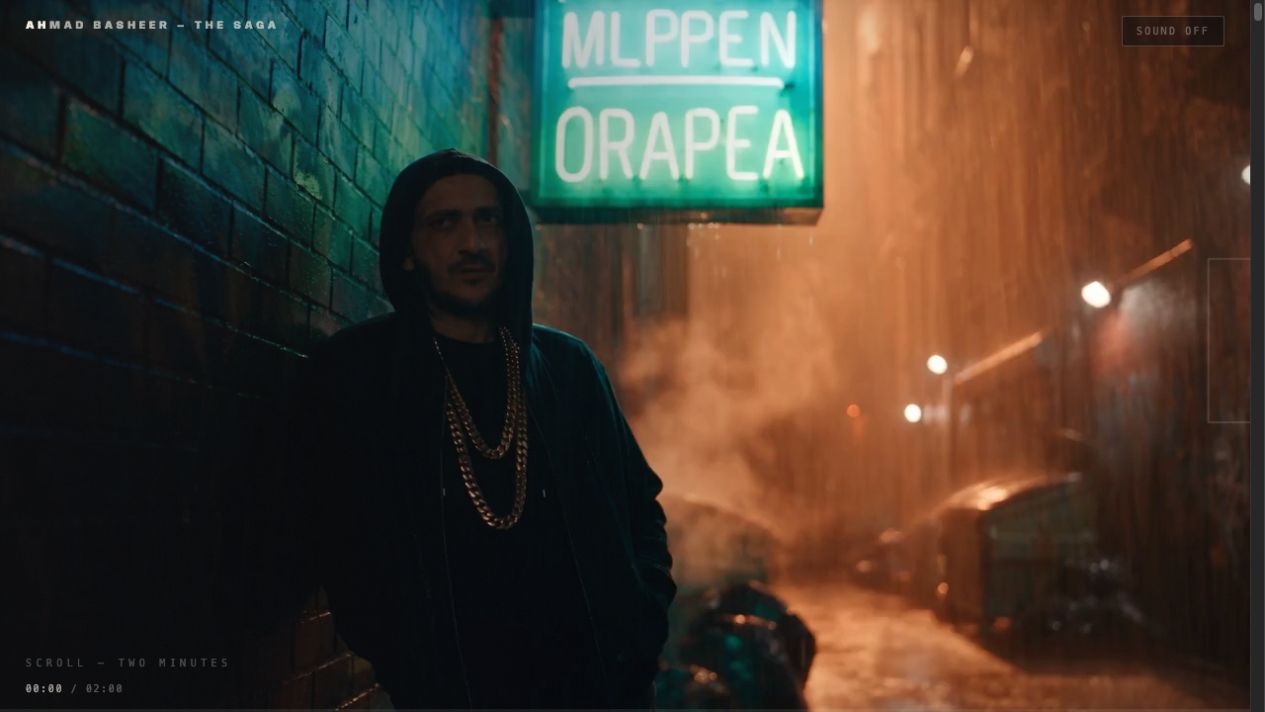
A scroll-controlled film that turns a personal story into something people explore at their own pace.
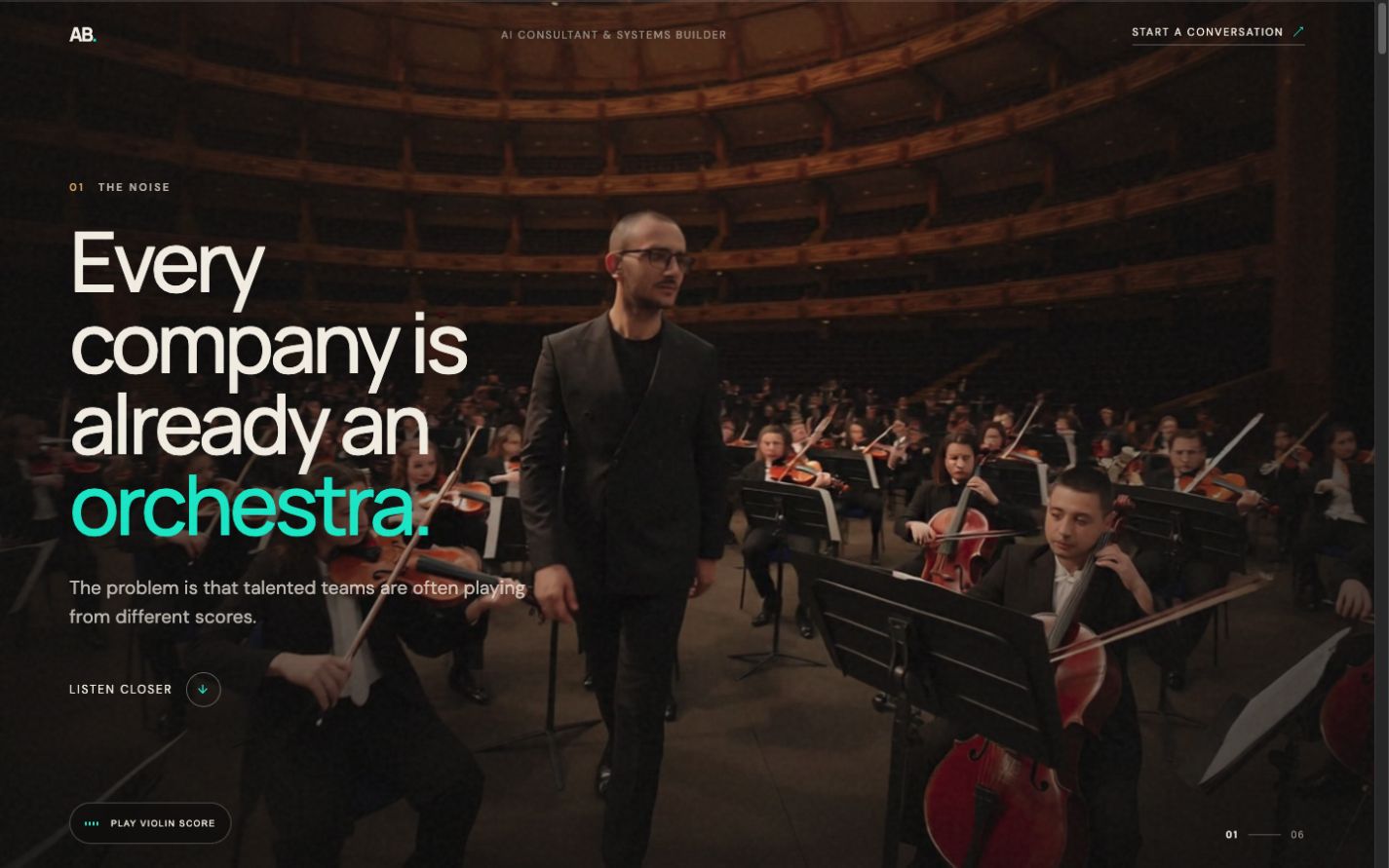
A visual explanation of how I work with teams: listen first, reduce the noise, and leave something useful behind.
The main portfolio explains the work. These projects show a more personal side of how I think, communicate, and build experiences.
A two-minute personal film where the page becomes the playback control. Scrolling is the edit.
A six-part story about helping teams work from the same score, supported by a scene-linked violin soundtrack.
One world is personal. The other explains the work. Together they add context without making the main page harder to understand.
A mix of products, internal tools, and client-facing experiences. Different formats, but the same preference for clarity and real use.
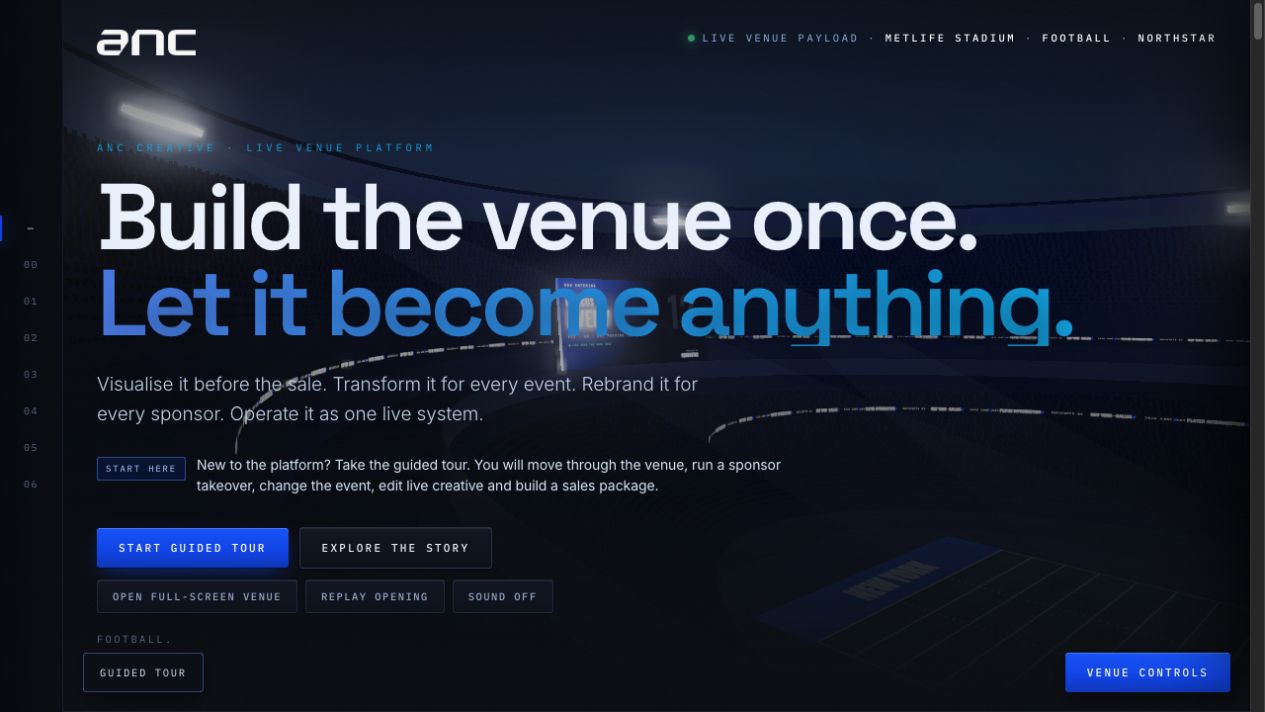
An interactive venue demo that lets someone explore a mapped stadium, change the event, apply a sponsor takeover, edit the live creative, and build a sales package in one place.
A repeatable way to turn a clear brief into correctly sized venue graphics and client proofs.
Open product workspaceInteractive pages that help a venue or client understand an idea before it becomes another pitch deck.
Reusable project formatSmall assistants that help with research, drafting, context, quality checks, and follow-through—without taking control away from people.
Built around real workflowsA personal performance view that turns activity into a more useful story about output, follow-through, and where work gets stuck.
Open the pilotIndependent experiments with a clear idea behind them: one explores trustworthy professional research, and the other rethinks how a portfolio can feel.
A source-verification workflow for professional tax research. It does not stop at finding a likely answer: it checks the proposed quotation against the statutory source, marks unsupported or miscited claims, keeps an audit trail, and sends the result to a human reviewer.
A navigable personal portfolio where work history becomes a place instead of a list. Each chapter has its own space, and the visitor moves through the story rather than scanning another résumé page.
The portfolio is the overview. These pages explain the working style, the agent instructions, and the delivery evidence in more detail.
How I work, make decisions, and move from a loose request to a finished result.
A practical guide for working with me: priorities, expectations, boundaries, and the standard for done.
A grounded view of output and follow-through, plus a possible model for understanding team activity.